Script-native breakdown
Elements live directly on the scenes you already wrote, not scattered across a separate spreadsheet or external breakdown document.
Pre-production is where AI films are won. 熙熙 gives you breakdown, boarding, and shot intent tied to sluglines so generation becomes execution, not discovery—you define the spatial logic and visual strategy before a single frame renders, which means your render budget goes toward refining approved material instead of exploring whether a setup even works.
Teams jump straight to video because still frames feel less exciting, then burn render credits discovering that the kitchen and living room do not share a wall the way the script implies, or that the courtyard visible through the office window in Scene 2 becomes a parking garage in Scene 9 because no reference was locked during breakdown.
Traditional pre-production tools stop at PDF breakdowns. They do not connect to AI prompts or regen passes, so the board never talks to the generator.
Directors working alone need pre-production infrastructure that fits a laptop and a weekend, not a production office full of coordinators, line producers, and storyboard artists—something that lets you do breakdown, boarding, and continuity planning without hiring a crew or learning enterprise software built for studio pipelines.
熙熙 combines script breakdown, visual development, and approval states in one graph. Each board row carries lens intent, character tags, and location notes into the prompt layer.
You finish pre-production with a shootable plan: which scenes exist, what they look like, how spaces connect, and which rows are cleared for video—so when you do run generation, you're executing a reviewed shot list with locked reference stills, not discovering basic staging problems at ¥168 per attempt.
Tag characters, props, and locations per scene. Flag effects or stunts that need extra visual planning.
Generate panels for each scene. Fix eyelines, entrances, and screen direction before motion.
Scroll scenes in order and catch continuity breaks across adjacent locations.
Approve only the frames that match the script. Locked pre-pro becomes the prompt source for video.
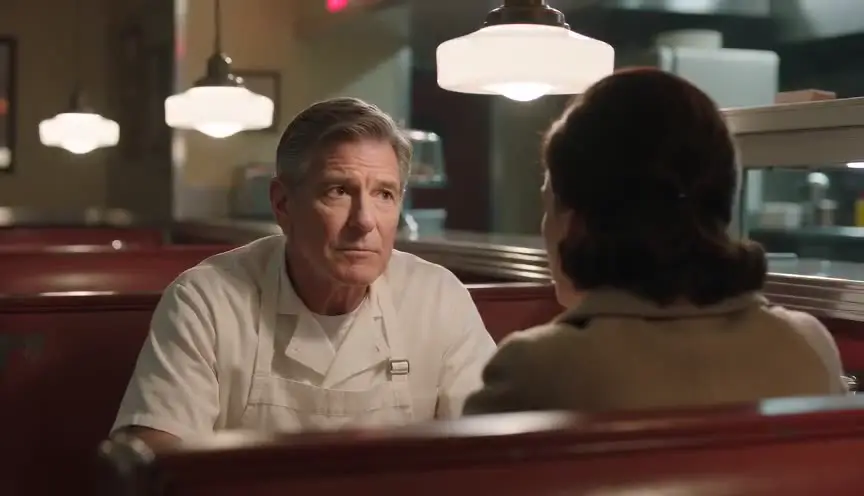
Morgan directs a single-location drama with long dialogue scenes. During pre-production they board every reverse shot and mark eyelines in stills so the spatial geometry holds across cuts. The review reveals an axis crossing in Scene 6 that would confuse viewers once characters move and the camera cuts to the opposing angle. Morgan fixes blocking on the board, approves six rows with corrected camera placement, and only then runs video generation. Two hours of pre-production work prevent a full day of unusable clips and wasted render credits on a continuity error that would have been invisible until the footage was already generated.
Elements live directly on the scenes you already wrote, not scattered across a separate spreadsheet or external breakdown document.
Know at a glance which shots remain concept work, which are under review, and which are cleared and ready for generation.
Scan neighboring scenes for wardrobe, lighting, and geography mismatches.
Export visual strips that prove you can stage the script coherently and communicate blocking before committing money to render farms or production days.
Without structure
With 熙熙
nd treat them as final deliverables. 熙熙 connects boards to script breakdown and AI generation workflows so your pre-production materials remain useful and actionable after export, not just reference PDFs. Do
mprehensive breakdown. That said, you can pre-pro key sequences while other acts are still in outline form, provided your major turning points and character arcs are stable enough to inform visual deci
id projects benefit most from structured breakdown. Breakdown tags help whenever your scenes have repeatable visual requirements—consistent locations, recurring characters, or planned setups. What sho
cement, eyelines, and location continuity. Approve rows and setups with clear staging intent, not vague scene vibes or abstract mood references. How detailed should boa
ances, exits, key props, spatial relationships, and lens feeling. You do not need portfolio-quality illustration or painted lighting for every panel—clarity of intent matters more than finish. Can I share pre-
es so collaborators—your DP, production designer, or line producer—can review and comment on staging, coverage, and resource needs before generation starts.
AI generation is not the hard part anymore. Keeping the film coherent is. Start in 熙熙 and build the chain before you burn credits.
Start creating with 熙熙Film techniques
Each one with a short clip, a screenplay excerpt and the shot list line.