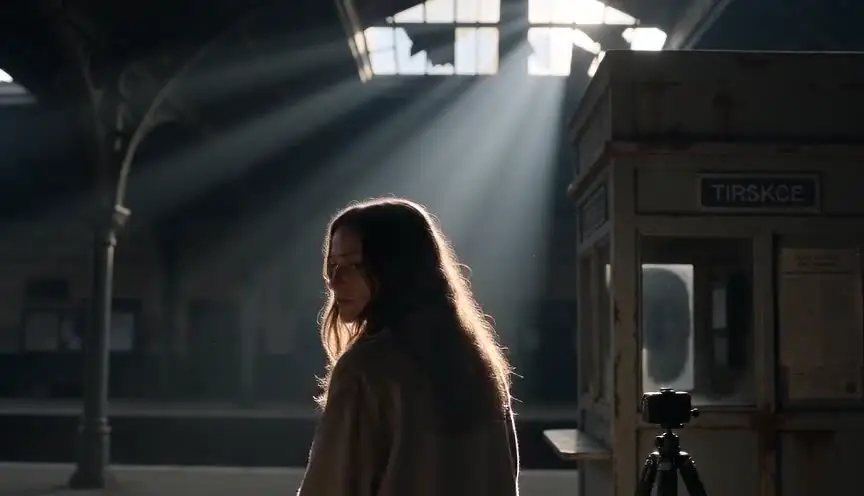
The anchor looks straight into camera and says the city is safe.
Outside, sirens scream.
Your protagonist kills the TV sound, then snaps it back up the instant one sentence drops her brother's name—a single reflex that tells us everything about her stakes before anyone explains them.
That’s a news anchor scene doing real dramatic work.
Most beginner scripts don't do this. They lean on anchor segments as information delivery trucks: too much context, too little conflict, no scene-level stakes or emotional friction. The result reads like a public service transcript dropped wholesale into a movie, inert and unearned.
Here's why that matters: whenever your screenplay shifts to media-within-media—news crawls, podcast clips, YouTube rants—readers instantly test your control. They ask whether this insert is alive in the story, woven into character pressure and dramatic irony, or just carrying facts you didn't know how else to deliver without a clunky exposition monologue.
A strong anchor scene does three jobs at once, and all of them simultaneously. It moves plot forward with new information or a ticking deadline, it refracts power by showing who controls the narrative and who reacts to it, and it pressures character decisions in real time so that what comes next feels inevitable rather than arbitrary.
Think about it this way: a news broadcast is not just what happened out in the world. It is who gets to frame what happened, which details they foreground, which they bury, and whose voice carries authority in your story's universe.
If you format and write it with that in mind, these scenes become one of your sharpest tools for tension, irony, and world-building—capable of delivering exposition while simultaneously amplifying narrative pressure or undercutting character assumptions.
Cinematic workflow frames

These two visuals work as a pair: the first shows Cinematic workflow still, first angle, 35mm film grain, and the second shifts to Cinematic workflow still, second angle, 35mm film grain—compare them briefly to observe how camera position and framing alter the emotional weight, then move on to execution.

What a News Anchor Scene Actually Is in Screenwriting Terms
A news anchor scene is diegetic media content consumed by characters inside your story world. It can appear on TV, live stream, waiting-room monitors, social clips rebroadcast on local channels, airport screens, or emergency feed cut-ins—any surface where in-world broadcasts reach your cast and shape their understanding of unfolding events.
The core question is not “How do I type this?”
The core question is “Who controls the narrative in this moment, and what does that control do to my protagonist?”
When writers miss this, they produce sterile exposition.
When writers nail it, anchor scenes become pressure valves and pressure multipliers at the same time—releasing information to the audience while tightening the screws on characters who must respond to curated, often distorted versions of the truth.
Anchor Scene vs. Voice-Over vs. Reporter-in-Field
These formats overlap in novice drafts and often get mislabeled.
Anchor scene: studio-presented mediated message, usually institutionally framed.
Voice-over: non-diegetic narration or thematic overlay not necessarily heard by characters.
Reporter-in-field scene: usually diegetic too, but with different texture, urgency, and visual assumptions.
You can combine them, but each has different formatting clarity needs.
The moment an anchor speaks, your screenplay is simultaneously staging both the flow of information and the establishment of their authoritative presence on screen.
Formatting Patterns That Keep Readers Oriented
There is no universal single template that works for every project, but maintaining consistent source logic throughout your script matters far more than adhering to any particular stylistic preference.
Pattern 1: Source Cue as Speaker
NEWS ANCHOR
Tonight, officials denied any contamination risk.
Simple and readable when source identity is stable.
Pattern 2: Specific Program/Network Cue
ANCHOR - CHANNEL 8
The governor will address the state at nine.
Useful when multiple media sources appear in one sequence.
Pattern 3: Action Setup + Anchor Block + Reaction Cutbacks
Set the video source once clearly in action lines, then run concise anchor dialogue lines without redundant attribution, and intercut character reactions strategically at moments where narrative stakes shift or emotional beats land.
This is often the most cinematic way to keep momentum.
Pattern 4: Lower-third / On-screen Text Support (Sparingly)
If lower-thirds carry narrative weight or reveal character-critical information, include them with restraint directly in action lines rather than omitting them entirely. Do not turn your script into a full broadcast graphics specification document.
Quick Comparison Table
| Approach | Best Use Case | Strength | Risk |
|---|---|---|---|
NEWS ANCHOR simple cue | Single-source scene structure structure | Fast readability for production for production | Can get vague with multiple feeds or complex setups or complex setups |
ANCHOR - CHANNEL X cue | Multi-source chaos sequences where overlapping information streams collide where overlapping information streams collide | Strong source distinction that clarifies narrative hierarchy that clarifies narrative hierarchy | Repetitive if overused without varying the anchor voice or visual style without varying the anchor voice or visual style |
| Intercut anchor + reaction | Emotion-driven scenes where news functions as emotional catalyst where news functions as emotional catalyst | Preserves dramatic pulse by maintaining character focus alongside information delivery by maintaining character focus alongside information delivery | Requires beat discipline to avoid diluting either the broadcast content or the character moment to avoid diluting either the broadcast content or the character moment |
| Heavy lower-third detail | Stories where media language is plot—chyrons, tickers, and graphics carry narrative weight | World specificity that grounds the broadcast in a believable media ecosystem that grounds the broadcast in a believable media ecosystem | Visual clutter and pacing drag when lower-third information competes with dialogue or character action when lower-third information competes with dialogue or character action |
Three Beginner Scenarios That Break in Notes
Scenario 1: The Hospital Waiting Room Info Dump
A writer sets a waiting room TV scene after an incident. The anchor speaks for 20 lines of continuous exposition, summarizing everything the audience should know about the event. Characters sit silently in chairs, absorbing information passively. The scene ends when the broadcast segment concludes.
The scene transmits facts and almost no drama.
Fix: cut anchor content down to essential trigger beats—the headline, one shocking detail, the casualty count—then make each beat provoke a character action in real time: denial of the report, a failed call attempt to someone involved, an abrupt exit from the room, a confrontation between two characters with opposing reactions, or a physical restraint to stop panic from escalating.
News content should produce behavior, not replace behavior.
Scenario 2: The Political Thriller With Source Confusion
Script alternates between local station, national network, phone clips, and field footage, but all are labeled VOICE (V.O.).
Readers cannot track source authority or agenda shifts.
Fix: assign stable, distinct cues per source and re-anchor in action when feed changes.
Ambiguity in truth can be thematic.
Ambiguity in source identity is usually formatting failure.
Scenario 3: The Disaster Film Anchor Scene That Feels Fake
Anchor speaks in over-explained, unnatural language: “As you know, citizens, this is due to the classified geothermal plate destabilization event from earlier at 3:17 p.m.”
No anchor talks like this.
Fix: write anchor lines as compressed broadcast rhetoric: headline clarity, controlled tone, selective unknowns, institutional caution language. Let subtext and cutaways carry what cannot be said directly.
Step-by-Step Workflow for Writing and Formatting Anchor Scenes
Step 1: Define the Broadcast’s Narrative Function
Pick one primary function:
Reveal, misdirect, escalate, expose propaganda, confirm rumor, trigger choice.
If your anchor scene tries to do all six at once, it will feel bloated and fake.
Step 2: Identify Institutional Voice and Bias
Who owns this desk?
State outlet, panic-driven local channel, polished national network, captured media arm, independent newsroom.
This determines diction, certainty level, and what gets omitted.
Step 3: Decide Source Geometry
Where is broadcast heard?
TV across the room? Phone in hand? Bar screens with muted captions? Car radio simulcast?
Source geometry tells us who hears what and shapes your formatting.
Step 4: Draft Anchor Copy in Beats, Not Paragraphs
Write 3-5 compact beats:
Opening frame.
New detail.
Institutional positioning.
Call to action or warning.
Tag line that lingers.
Then intercut with character reactions where each beat changes stakes.
Step 5: Format for Parse Speed
Use stable cue naming and clean action transitions.
If the feed switches, isolate switch on its own action line.
If captions matter, include only the exact words that alter interpretation.
Step 6: Stress-Test Authenticity
Read anchor lines out loud in broadcast cadence. If it sounds like a screenwriter teaching the audience, rewrite.
Anchor speech should feel controlled, compressed, and calibrated for public uncertainty.
Step 7: Trim to Consequence
After drafting, cut any line that doesn’t alter what a character does next.
Anchor scenes must generate downstream behavior. If no behavior changes, your scene is probably ornamental exposition.
Body Image: Studio-to-Character Pressure Map

The Trench Warfare Section: What Beginners Get Wrong and Exact Repairs
This is where scripts usually leak urgency.
Failure 1: Using Anchor Scenes as Plot Wikipedia
Anchor explains everything. Characters do nothing.
Fix: make anchor lines selective and consequential. Pair each key line with immediate behavioral response.
Failure 2: Generic Cue Labels
VOICE or REPORTER in mixed-media scenes destroys source clarity.
Fix: use precise, stable source cues across sequence.
Failure 3: No Institutional Perspective
Anchor copy reads neutral in a world where neutrality is not plausible.
Fix: define outlet agenda and language posture before writing lines.
Failure 4: Overloaded Technical Broadcast Detail
Writers add camera angles, switcher cues, lower-third formatting specs line by line.
Fix: include only details that affect story interpretation or scene behavior.
Failure 5: Unrealistic Anchor Diction
Lines sound like essay prose or expositional lecture.
Fix: tighten to broadcast rhythm: short clauses, confidence qualifiers, verified/unverified distinction.
Failure 6: No Reaction Architecture
Broadcast plays in full while protagonist remains static.
Fix: intercut reaction beats at turning points. Let receiving become action.
Failure 7: Confusing Diegetic and Non-Diegetic Audio
Reader cannot tell whether characters hear narration.
Fix: anchor audibility in first source entry line.
Failure 8: Information Repetition Across Adjacent Scenes
Anchor repeats facts characters already discussed moments earlier.
Fix: ensure each media beat adds a new angle, pressure, or contradiction.
Failure 9: No Stakes Shift After Broadcast
Scene ends exactly where it began emotionally and tactically.
Fix: add a decision pivot triggered by the broadcast’s final beat.
Failure 10: Treating Captions as Decoration
On-screen text included without narrative function.
Fix: captions should either clarify misheard line, expose manipulation, or deliver a hidden clue.
Anchor scenes should never feel like pauses in your movie. They should feel like accelerants.
Try it free
Try 熙熙 for free on your script
It is free. Import your existing project, get a clearer view of your outline, and regain control of your story structure in minutes.
Start FreeAdvanced Craft: News Desk as Power Theatre
The best anchor scenes are not just informational. They stage legitimacy.
Who appears calm on camera while the city collapses?
Who gets quoted and who gets excluded?
Which words are repeated so often they become policy before policy exists?
When you write anchor scenes with this lens, the broadcast becomes character antagonist, ally, or unreliable chorus.
In a thriller, the desk can launder false certainty.
In a drama, it can publicly flatten private tragedy.
In satire, it can expose institutional absurdity by saying quiet lies in polished cadence.
This gives you thematic density without slowing pace, because the scene still functions at the level of immediate action.
Software Workflow and Revision Hygiene
In practical drafting tools, inconsistency usually appears during late rewrites when lines are moved quickly.
Set a short media style key in notes before polish:
NEWS ANCHOR for primary desk source.
ANCHOR - [OUTLET] when multiple sources coexist.
One action-line audibility anchor at first entry.
Lower-third text only when plot-relevant.
During revisions, search for cue variants (ANCHOR, VOICE, REPORTER) and normalize.
Then run a skim pass reading only anchor lines and adjacent action. You should see a clean chain of cause-and-effect into character behavior.
For professional pacing references in produced scripts, the <a href="https://www.simplyscripts.com/" rel="nofollow">SimplyScripts archive</a> can help benchmark readability choices across genres, but your internal scene logic should decide final formatting, not template mimicry.
As discussed in our guide on [screenplay formatting for surveillance camera footage], mediated visuals are strongest when source and purpose are instantly legible.
If your scene layers ticker text or emergency pop-ups, pair this with [screenplay formatting for on-screen notifications and alerts] to prevent signal overload.
And if you are cutting between broadcast and live field action, [how to show simultaneous action in two locations in a script] helps keep chronology tight while tension rises.
Body Image: Broadcast Beat Timing Strip

YouTube Placeholder for This Topic
[YOUTUBE VIDEO: A scene-construction walkthrough writing one anchor broadcast sequence from blank page to polished draft, including cue labeling, reaction intercuts, and realism edits to anchor diction.]
Before-and-After Micro Example
Before:
“INT. DINER - NIGHT
The TV is on.
VOICE (V.O.) There was an explosion downtown and officials are saying many are injured and everyone should avoid the area and they are looking for suspects and roads are closed.
Lena stares at the screen.”
Flat, vague, overloaded, low consequence.
After:
“INT. DINER - NIGHT
A local station blares above the counter. Everyone pretends not to listen.
ANCHOR - CHANNEL 6 Breaking now: an explosion at Mercer Station.
Lena stops mid-bite.
ANCHOR - CHANNEL 6 Police confirm multiple injuries. No suspect description yet.
Lena grabs her phone.
ANCHOR - CHANNEL 6 Commuters are urged to avoid the downtown corridor.
Lena dials her brother. Straight to voicemail.”
Same plot payload.
Far stronger scene pressure and cleaner read path.
Ending Perspective: Write the Broadcast, Stage the Consequence
News anchor scenes are easy to fake and hard to master.
Anybody can write a person behind a desk reading bad headlines. That is not the craft challenge.
The challenge is making mediated information alter live behavior with precision, urgency, and emotional truth.
When you format source cleanly, write anchor copy with institutional voice, and intercut reaction at turning points, these scenes stop feeling like exposition patches.
They become tactical narrative events.
That is where your screenplay gains credibility fast.
Because readers can feel when media scenes are just there to explain things.
They can also feel when a broadcast is the moment power shifts and the story cannot go back.
Write for that shift.
Format for clarity.
Let the desk speak, but make the characters pay for what it says.
There is one more advanced move that separates competent anchor scenes from memorable ones.
Use contradiction between image, language, and reaction.
The anchor says calm words while chaotic footage rolls. The chyron says “situation contained” while your protagonist locks every door in the apartment. The studio tone stays polished while the person watching starts making desperate choices. That contradiction generates dramatic electricity because it forces the audience to reconcile competing truths in real time.
When you stage this cleanly, you get subtext without extra dialogue.
You can also use anchor scenes to pace revelation with unusual precision. A normal conversation usually unfolds through mutual exchange. A broadcast unfolds as unilateral pressure. Your character cannot negotiate with the screen. They can only respond. This creates a very specific emotional geometry: receive, process, choose. Receive, process, choose.
If your sequence feels slow, inspect that geometry. Are you delaying choice too long after a key broadcast beat? Are you repeating receive and process without forcing behavioral commitment? Anchor scenes speed up when consequence lands quickly.
Another practical lens: ask what the anchor does not say.
Silence inside official language is often more dramatic than explicit disclosure. Maybe the anchor names the district but not casualties. Maybe they say “ongoing event” instead of “attack.” Maybe they repeat reassurance while avoiding accountability. Those omissions can characterize institutions as clearly as your protagonist’s dialogue characterizes them.
That is where these scenes become strategic instead of functional.
You are not just inserting media realism. You are staging the collision between narrative control and lived experience. And that collision can carry theme, power, and urgency in a single page if formatted with precision.
So on your next pass, do not ask only whether the anchor sounds authentic.
Ask whether every broadcast beat forces someone in the scene to reveal who they are under pressure.
If the answer is yes, your anchor scene is no longer exposition support.
It is story.
One practical drill can help lock this skill fast.
Take an existing anchor scene in your draft and rewrite it three times with identical plot facts but different institutional voice: state-aligned outlet, sensational local channel, and cautious public broadcaster. Keep the same character reactions in each version. Then read all three aloud.
You will hear immediately how framing language changes emotional meaning even when factual payload stays fixed.
That exercise teaches a critical truth: media scenes are not neutral containers. They are dramatic filters.
Once you internalize that, formatting choices become simpler. You stop writing generic “news voice” and start writing purposeful broadcast pressure tuned to your story’s power structure.
Final Step
Build your next script with 熙熙
Move from ideas to production-ready pages faster with timeline-native writing and AI-assisted story flow.
Try 熙熙