The viewer puts on the headset. They're standing in a forest clearing. Behind them, footsteps. They turn, a figure disappears into the trees. In front of them, a cabin. To their left, smoke rises. They look up: a bird circles overhead.
This is VR storytelling. The screen is everywhere. The viewer can look in any direction at any moment. There's no frame to compose, no edit to control attention, just space, and someone inside it.
Writing for VR requires abandoning almost everything you know about traditional screenwriting. The camera doesn't exist. Cuts are jarring. The viewer is both audience and participant. Your script must describe not a sequence of shots but a navigable environment where story happens spatially.
This is a different craft, and it demands a different format.
Free tool: use the Script Time Calculator to estimate your runtime from page count.
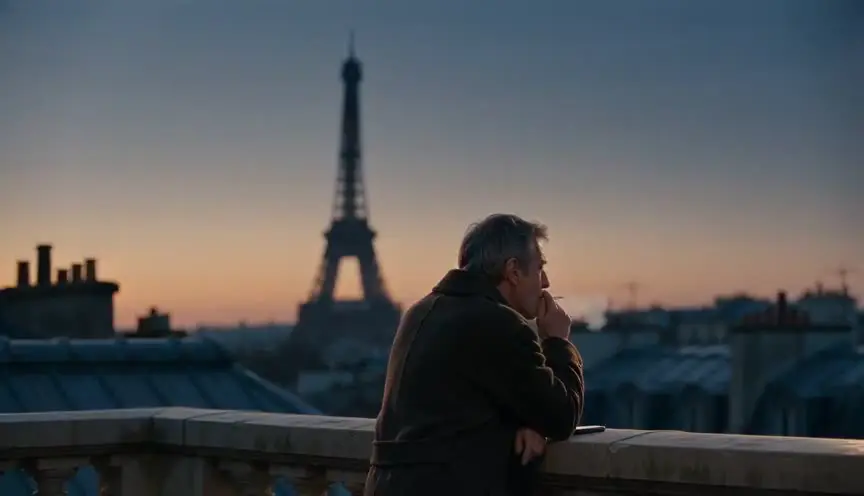
Cinematic workflow frames

These two visuals work as a pair: the first shows Cinematic workflow still, first angle, 35mm film grain, and the second shifts to Cinematic workflow still, second angle, 35mm film grain - compare them briefly, then move on.

The Fundamental Shift: No Frame
Traditional screenwriting is built on the frame. You decide what the audience sees; they see exactly that. Close-up, wide shot, pan left, these are your tools of emphasis and control.
VR eliminates the frame. The viewer's head is the camera. They choose where to look. You can invite attention; you cannot force it.
This changes everything:
You can't cut. A cut in VR is disorienting, a teleportation. Used sparingly, it can work. Used constantly, it causes nausea.
You can't hide things. In film, you control what's off-screen. In VR, there is no off-screen. Everything within the environment is visible if the viewer turns around.
You can't guarantee they see the key moment. The climactic action might happen while the viewer is looking the wrong way.
These limitations are also opportunities. VR offers immersion no flat screen can match. The viewer isn't watching a story, they're inside it.
VR isn't a better movie. It's a different medium entirely.
Formatting Conventions for VR Scripts
There's no industry-standard VR script format, but working practices have emerged. Most VR scripts borrow from both screenwriting and video game design, creating a hybrid document.
Common elements:
Environment description (not scene heading). Instead of "INT. LIVING ROOM – DAY," describe the full 360-degree environment: "You stand in a living room. Ahead, a fireplace with dying embers. To your left, a window showing rain. Behind you, a hallway receding into shadow. Above, a chandelier with one bulb flickering."
Viewer position. Specify where the viewer "is" in the space. Are they standing? Seated? Moving? This affects what they can see and how they'll experience events.
Spatial action. Describe actions with directional cues relative to the viewer: "AHEAD – A figure enters through the door. LEFT – A clock chimes. BEHIND – Floorboards creak."
Gaze cues. Indicate what you want the viewer to look at and how you'll draw attention: "A bird calls sharply to the RIGHT. The viewer turns; they see the cabin."
Time-locked events. Some actions happen regardless of where the viewer looks. Others are triggered by viewer gaze. Distinguish these.
A Table: Spatial Direction Conventions
| Direction | Meaning |
|---|---|
| AHEAD / FORWARD | In front of the viewer's default facing |
| BEHIND | Directly behind the viewer |
| LEFT / RIGHT | To the viewer's sides |
| ABOVE | Overhead |
| BELOW | At feet level or beneath |
| PERIPHERAL | In the edges of vision; not the focus |
| AMBIENT | Everywhere; environmental |
These conventions help directors, sound designers, and VR developers understand spatial intent.
Sample VR Script Excerpt
PROJECT: "The Clearing" RUNTIME: 8 minutes FORMAT: VR narrative, seated viewer
ENVIRONMENT 1: FOREST CLEARING – DUSK
You stand at the center of a forest clearing. The light is fading, gold and amber filtering through trees that ring the clearing in all directions. The ground is carpeted with fallen leaves. Ambient birdsong, distant. Air feels cool.
VIEWER POSITION: Seated, eye level approximately 5 feet. Subtle rotation allowed (seated swivel).
0:00–0:15 – ESTABLISHMENT
The viewer is allowed to look around freely. No directed action. Environmental immersion.
AMBIENT: Wind through leaves. Occasional bird call.
0:15–0:30 – GAZE CUE: BEHIND
A twig SNAPS sharply BEHIND the viewer.
GAZE CUE: Sound draws attention BEHIND. When viewer looks:
A FIGURE in a dark coat stands at the tree line, thirty feet away, motionless, watching. Face obscured by shadow.
If viewer does NOT turn, FIGURE remains until 0:45, then disappears.
0:30–0:45 – ESCALATION
AHEAD: The CABIN is now visible, a structure you didn't notice before, somehow. Small, wooden, a single lit window.
LEFT: Smoke rises from somewhere beyond the trees, too much smoke for a campfire.
AMBIENT: Birdsong has stopped. Silence now. Unsettling.
This format communicates spatial storytelling clearly. Each team member knows what happens where and when.
Drawing Attention Without Cuts
If you can't cut, how do you direct attention? VR writers use several techniques:
Audio cues. Sound is the most powerful tool. A sharp sound to the left makes viewers turn left. Spatial audio is essential, if you write it, the sound designer must implement it correctly.
Movement. Motion attracts the eye. A bird taking flight, a door swinging open, a character walking across the space. Place movement where you want attention.
Light. A sudden illumination, a lamp turning on, lightning, a flashlight beam, draws the gaze.
Character address. If a character looks at the viewer or speaks to them, attention follows. "Hey! Over here!" is a valid gaze cue.
Environmental change. Something appearing or disappearing in a particular direction.
You cannot guarantee attention, but you can design for probability. If a loud crash happens to the left, most viewers will look left.

Try it free
Try 熙熙 for free on your script
It is free. Import your existing project, get a clearer view of your outline, and regain control of your story structure in minutes.
Start FreeInteractive vs. Passive VR
VR storytelling exists on a spectrum:
Fully passive. The viewer observes. They can look around but cannot affect the story. Like an immersive 360 film.
Semi-interactive. Gaze triggers events. Looking at an object might activate it. Limited agency.
Fully interactive. The viewer can move freely, pick up and manipulate objects, make meaningful choices that affect the narrative. This mode is closer to a video game experience, where agency and interactivity are central.
Your script must clearly specify where on this spectrum the experience falls. A passive script focuses on environmental storytelling and authored moments. An interactive script includes branching narrative paths, object interaction logic, player-triggered events, and multiple outcomes that respond to viewer choices.
For this article, we focus on passive and semi-interactive VR experiences, where the viewer occupies the role of audience rather than active player.
The "Trench Warfare" Section: What Goes Wrong
Failure Mode #1: Writing Flat Screen Shots
The script reads like a traditional screenplay: "Close-up on hand picking up the letter." But there are no close-ups in VR—the viewer controls their own attention and focal point at all times.
How to Fix It: Describe actions spatially and from the viewer's frame of reference. "The hand picks up the letter (AHEAD, at arm's length from viewer). The viewer can lean closer to read the handwriting if they choose."
Failure Mode #2: Critical Action in One Direction
The story's climax happens AHEAD, but the script gives no cue. Half the viewers miss it because they were looking BEHIND.
How to Fix It: Use audio or movement to cue attention. Before the climax, draw all viewers AHEAD with a sound or event.
Failure Mode #3: Too Many Simultaneous Events
Actions happen LEFT, RIGHT, BEHIND, and ABOVE all at once. The viewer feels overwhelmed and misses everything.
How to Fix It: Layer spatially and temporally. Space out events. One direction at a time. Give viewers time to reorient.
Failure Mode #4: Overusing Cuts
The script transitions constantly: new environment, cut, new environment, cut. Viewers feel dizzy.
How to Fix It: Use fewer environments and longer sequences to maintain viewer immersion and spatial continuity. When cuts are necessary, employ gentle fades or clear narrative transitions such as "Three hours later..." or "Meanwhile, across town..." to signal the change without disorienting the viewer.
Failure Mode #5: Ignoring the Body
The viewer's position isn't specified clearly enough. Are they standing upright? Seated in a chair? Can they walk freely around the space, or are they stationary? This ambiguity causes production confusion, misaligned camera rigs, and inconsistent viewer experience across platforms.
How to Fix It: Specify viewer position and mobility constraints explicitly in every environment description—state whether the viewer is standing, sitting, fixed in place, or free to move within a defined radius or along a set path.
Case Study: Designing a VR Horror Sequence
Let's design a horror beat step by step:
Goal: Build dread through spatial audio and visual cues, deliver a sudden jump scare from an unexpected direction, and make the viewer feel unsafe and exposed in every direction—no safe corner to retreat to.
Environment: A dark, cramped attic space. Viewer standing upright in the center. Dusty boxes, old trunks, and covered furniture loom in all directions, creating uncertain silhouettes. Single light source: a flickering candle positioned directly AHEAD, casting long, wavering shadows that obscure movement.
Phase 1: Establishment (0:00–0:30)
Viewer looks around. Nothing threatening. Environmental sounds: creaking, wind, distant traffic. Candle flickers.
Phase 2: Subtle Cues (0:30–1:00)
BEHIND: A soft scraping sound. Viewer turns, nothing visible. Just shadows.
LEFT: A shape moves in peripheral vision, was that a rat?
Candle dims slightly.
Phase 3: Misdirection (1:00–1:20)
AHEAD: A door rattles. Viewer focuses on the door. Tension builds. The door... stops rattling. Nothing happens.
Viewer relaxes.
Phase 4: Delivery (1:20–1:30)
BEHIND: A breath sound, close, intimate, as if someone is standing right behind the viewer.
Viewer turns BEHIND. A FACE is inches away, then DARKNESS.
The sequence uses spatial storytelling to build fear: sounds from multiple directions create paranoia, misdirection relaxes the viewer, and the payoff comes from the direction they just looked away from.

Writing Dialogue in VR
Dialogue in VR requires spatial awareness:
Character position. Where is the speaking character relative to the viewer? Are they AHEAD? Moving from LEFT to RIGHT? Circling behind?
Direct address. Does the character speak to the viewer? Make eye contact? In VR, this is powerful, and potentially uncomfortable. Use intentionally.
Spatial audio. Dialogue must be spatialized. If the character is to the LEFT, their voice comes from the LEFT. Write this expectation into the script.
Viewer as character. Is the viewer a character in the story? Are they addressed by name? Can they "respond"? Even in passive VR, the viewer's role needs definition.
The Perspective: Presence Over Control
Traditional filmmaking is about control, shaping exactly what the audience experiences. VR is about presence, creating a space the audience inhabits.
This requires letting go. You can't control where they look. You can't guarantee they see the key moment. You can only build an environment so rich and so intentionally designed that wherever they look, the story is there.
In some ways, this is closer to theater than film. The stage is everywhere. Multiple actors might perform simultaneously. The audience member's attention wanders. The playwright creates a world; the audience experiences a version of it.
VR writing is world-building with invitation. You invite the viewer to look left. You hope they do. If they don't, the story still works, just differently.
That's not a limitation. That's the medium's unique power: no two viewers have the same experience. The story becomes personal because it depends on presence, attention, choice. Even in passive VR, the viewer's gaze is a form of agency.
Write for that agency. Respect it. Design around it.
[YOUTUBE VIDEO: A VR director explaining how they developed a narrative script for a 360-degree film, showing the difference between flat-screen thinking and spatial storytelling.]
Further reading:
- For interactive branching narratives, see interactive fiction (Bandersnatch style): formatting a branching script.
- If you're designing immersive physical experiences, see how to script the narrative environment of an escape room.
- The VR/AR Association has resources on immersive storytelling at thevrara.com{:rel="nofollow"}.
Final Step
Build your next script with 熙熙
Move from ideas to production-ready pages faster with timeline-native writing and AI-assisted story flow.
Try 熙熙